

NetBird
NetBird is an open-source peer-to-peer mesh VPN. Once configured, you can access your private Sliplane services using their internal hostnames from any device connected to your NetBird network.
Prerequisites
Section titled “Prerequisites”- A NetBird account
- A Sliplane server with services you want to make private
Step 1: Get Your NetBird Setup Key
Section titled “Step 1: Get Your NetBird Setup Key”- Log in to NetBird
- Go to Setup Keys in the left menu
- Create a new setup key or copy an existing one
Step 2: Deploy NetBird on Sliplane
Section titled “Step 2: Deploy NetBird on Sliplane”Create a new service with the following configuration:
| Setting | Value |
|---|---|
| Image | docker.io/netbirdio/netbird:latest |
| Network | Private (no public access) |
Add these environment variables:
| Variable | Value | Description |
|---|---|---|
NB_SETUP_KEY | Your setup key from Step 1 | Used for automatic registration |
NB_HOSTNAME | routing-peer | The internal name for this peer |
NB_USE_NETSTACK_MODE | true | Required - Enables userspace networking |
Step 3: Configure Network Resources
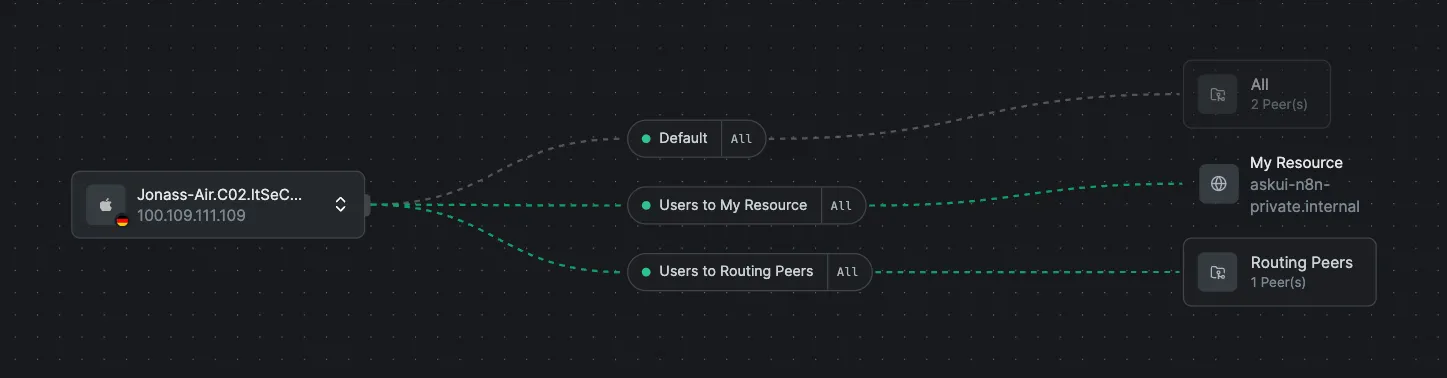
Section titled “Step 3: Configure Network Resources”- Go to app.netbird.io/networks
- Select your network
- Click Add Resource
- Set the address to
*.internal
This allows NetBird to route traffic to all your private Sliplane services.
Step 4: Connect Your Local Device
Section titled “Step 4: Connect Your Local Device”- Install the NetBird client on your local machine
- Log in to your NetBird account
- Your device will automatically connect to the mesh network
Step 5: Access Your Private Services
Section titled “Step 5: Access Your Private Services”Once connected, you can access any private service using its internal hostname:
ping my-service.internalcurl http://my-database.internal:5432The traffic goes through the encrypted NetBird tunnel, and your services remain inaccessible from the public internet.
Troubleshooting
Section titled “Troubleshooting”Service not reachable:
- Ensure the NetBird service is running on Sliplane
- Check that your local device is connected to NetBird
- Verify the
*.internalresource is configured in NetBird
NetBird container not starting:
- Make sure
NB_USE_NETSTACK_MODEis set totrue - Verify your setup key is valid and not expired